Working from your AI agent
Scenivia has an MCP server: one address that lets Claude, ChatGPT, Cursor, VS Code, Claude Code and Codex work on your projects for you, with the access you approve. The agent reads and changes the same project you open in the Studio, under the same rules, and you keep the last word on every shot.
On this page
Connecting an app#
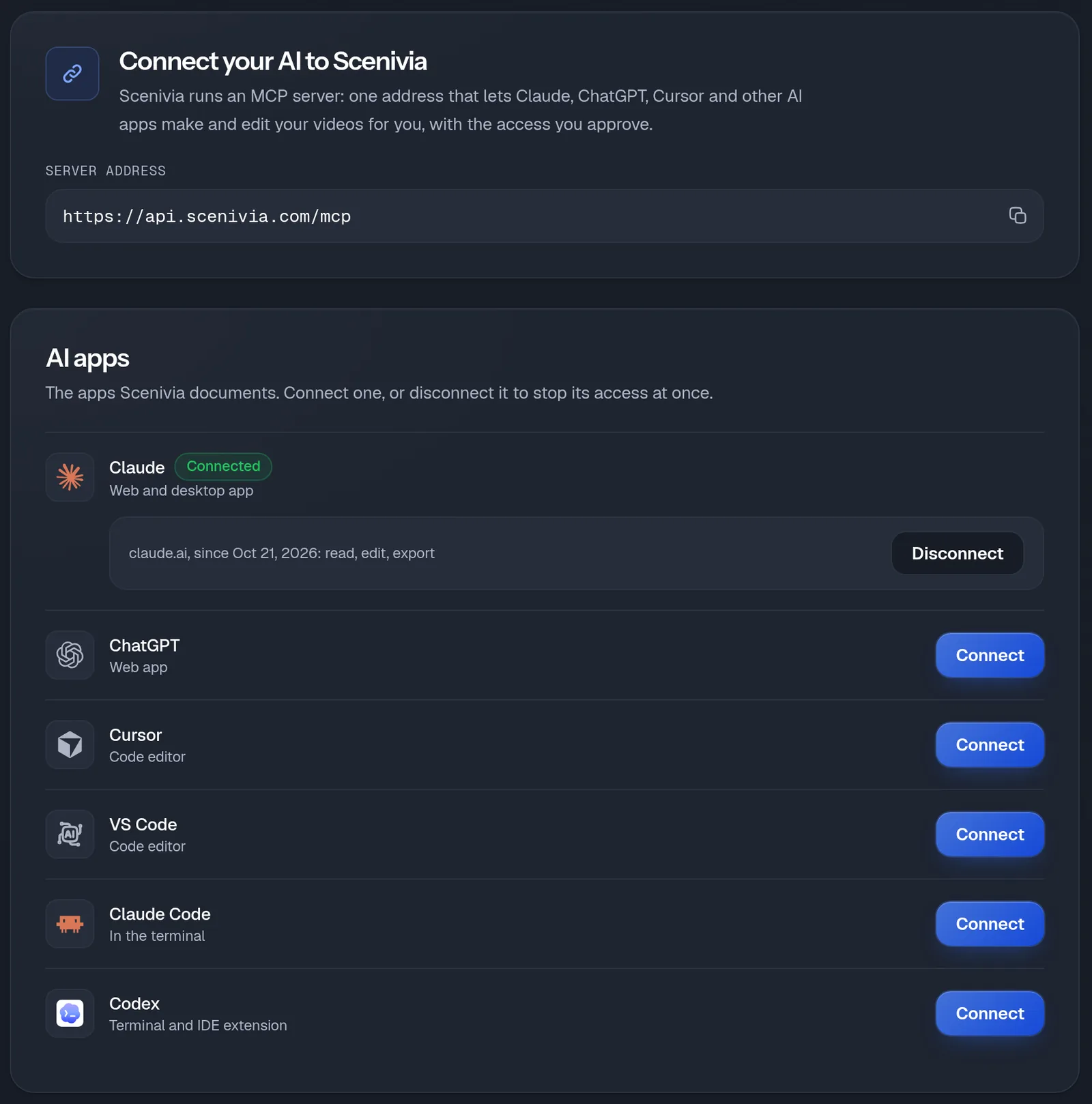
The server address is https://api.scenivia.com/mcp. There is no key to copy: the app signs in to your account the first time it calls Scenivia, and you choose what it may do.
- Open the MCP page from the site’s menu, or Account, then Connections, and pick your app. Each one has its own steps; Cursor and VS Code have a one-click button.
- Paste the server address where the app asks for it.
- On the first call, Scenivia’s authorization page opens in your browser: sign in, choose what the agent may do (read, edit, export) and approve.
- Check it works: ask your agent to list your Scenivia projects.
In a terminal: the plugin#
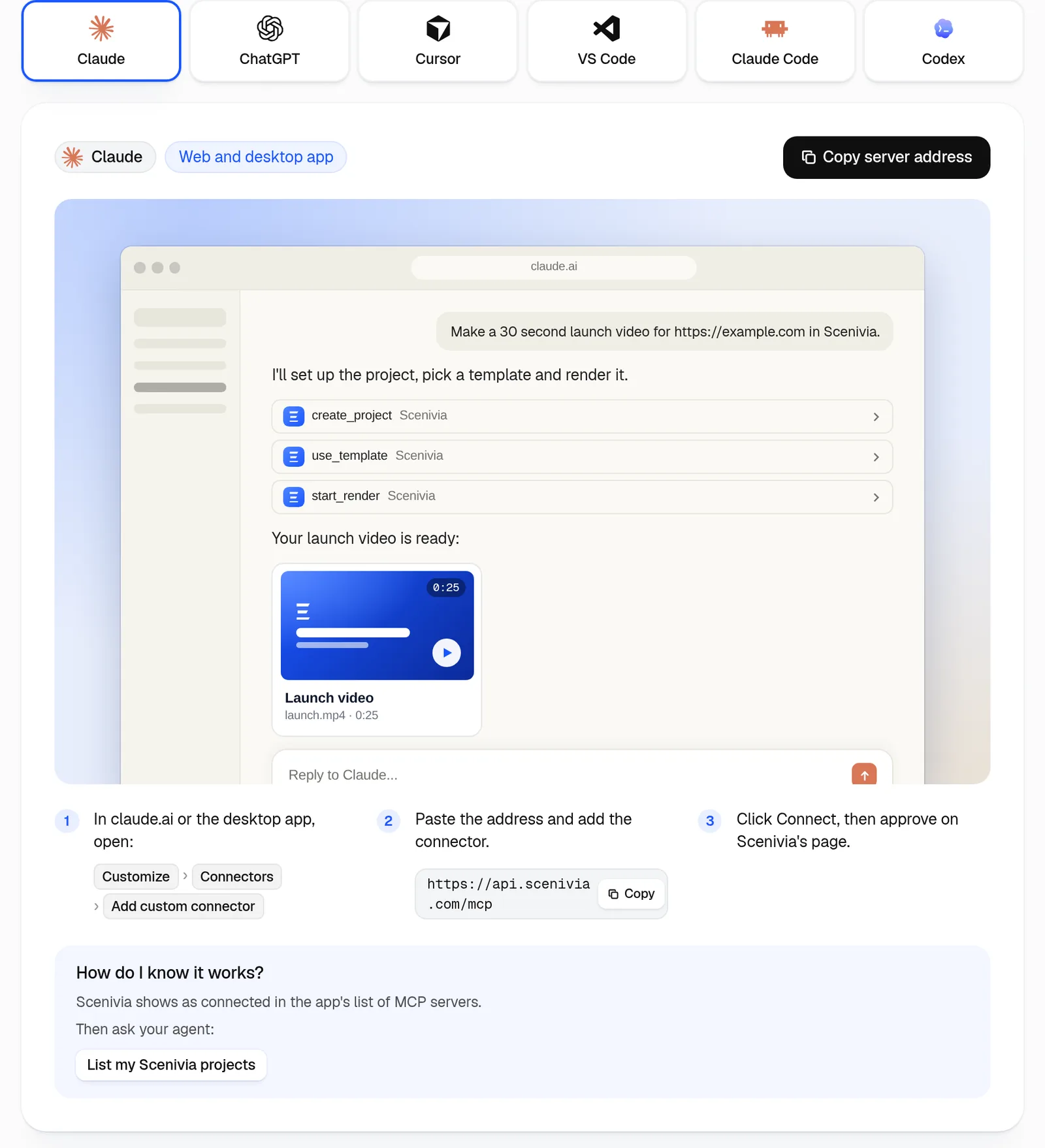
In Claude Code, the plugin adds the server and a Scenivia skill in two commands: /plugin marketplace add Scenivia/claude-plugin, then /plugin install scenivia@scenivia. The MCP page gives the commands for adding the server alone, and for Codex.
What an agent can do#
Everything the Studio’s controls do, asked in your own words. Every change is checked against the film before it is applied, and a refusal says why.
- Start
- Create a project, write the brief, and set your brand colours and typeface.
- Make the film
- Compare the templates with their previews, pick one and write every line within its limits, or ask Scenivia to write the film from the brief.
- Edit
- Texts, colours, pictures, backgrounds, how long a shot lasts and its transition; add or remove a shot; the brand, the music, the narrator and the format of the whole film.
- Compose a screen
- Draw a screen of your product that no screenshot shows, in your colours, from your own words and figures.
- Export
- Check the export for free, then, once you agree to the cost, start it and hand you the download link.
Your Studio applies the bigger changes#
A text, a colour or a picture changes at once. A new or removed shot, a whole film from a template, a composed screen, the brand, the music or the format is performed by your Studio: keep the project open in a tab, the change lands there, and the agent carries on once it has.
A film the agent asked Scenivia to write appears when you open the project in the Studio.
What it costs#
The same as in the Studio. Reading, editing and checking the export cost nothing, and neither does a film the agent writes itself from a template. A film the agent asks Scenivia to write costs 5 credits, and an export 10, charged only if it succeeds.
Disconnecting an app#
Account, then Connections, lists every app with access to your account, since when, and what it may do. Disconnect cuts it off at once: its next call is refused.
Changing your password or signing out everywhere disconnects every app too.